xcode-mods
Reviewed
at commit b96d449
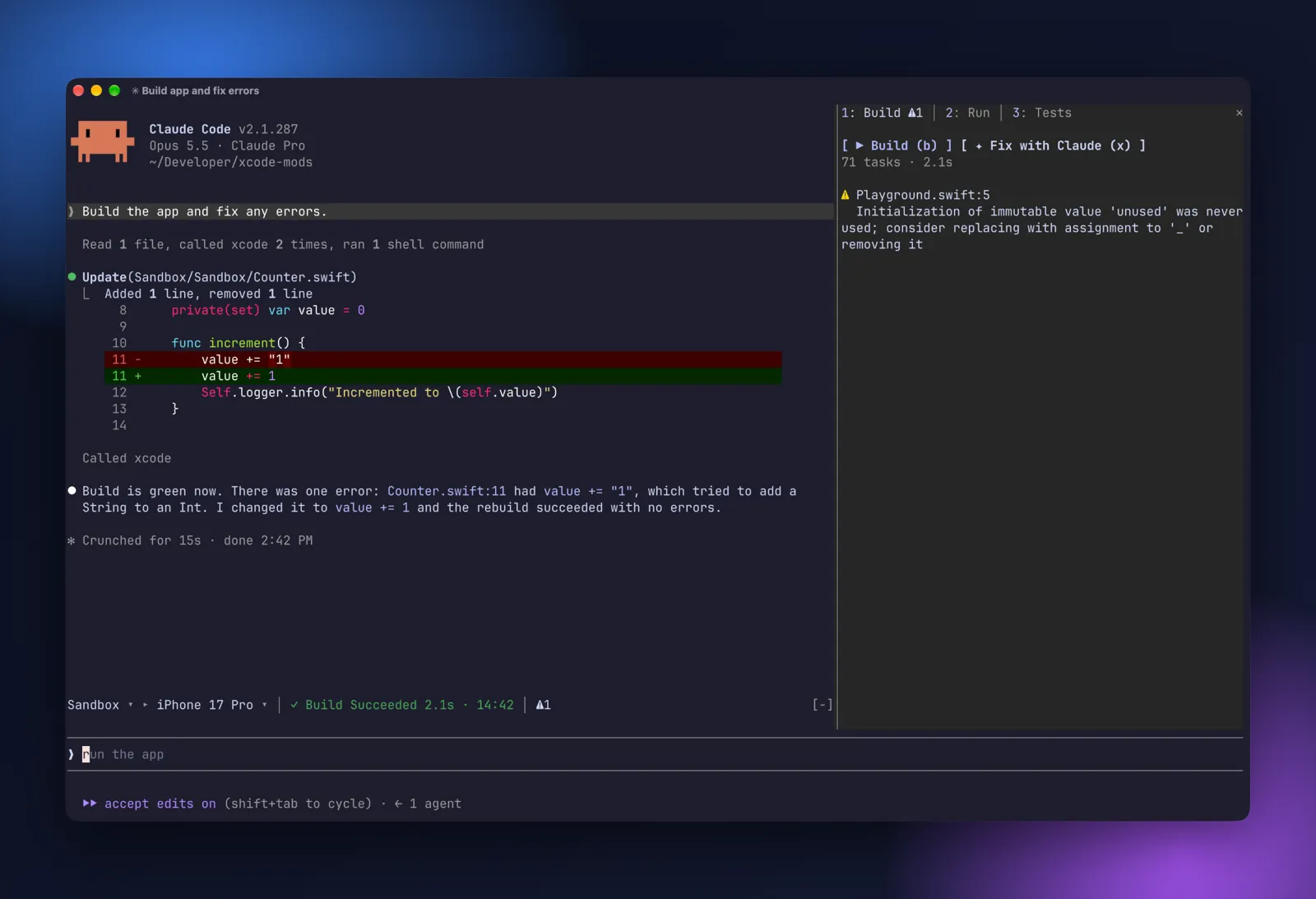
Xcode in Claude Code: build, run and tests pane, scheme/destination band, notifications and SwiftUI previews over headless Xcode MCP
0 upvotes
Log in to upvote or save- Made by
- Artem Novichkov
- Pinned commit
-
b96d4491e243ad76cf09d72d419b0a031c7c56ac - What we checked
-
Adds /build, /run, /tests, /stop, /xcode and /preview for Xcode projects: a pane and band with build issues, test results, app console output and SwiftUI previews, driven through the Xcode MCP server you connect yourself. Buttons can send build errors or console output to Claude as a prompt. It makes no network calls.
Review details
Static review of the source at the pinned commit; not run. Delta review of the changes since 7d33125; the rest carries over from the review at that commit. Registers session.start (only acts when the working directory contains an .xcodeproj or .xcworkspace), command.run for build, tests, run, stop, xcode and preview, tool.call for mcp__xcode__ BuildProject, RunAllTests, RunSomeTests, RunProject, StopProject, the Switch tools and RenderPreview (observes the call and passes it on unchanged), tool.call for Edit and Write (after a .swift file with #Preview is edited and previews are in use, it reads that file and re-renders), session.end and ui.render. Calls the user's local xcode MCP server through $.mcp.call and may open the project in Xcode. Runs find, grep, sips, xed and open through $.process.run with fixed argument lists. Writes a downscaled JPEG next to the Xcode preview snapshot with sips for display. Prompts are submitted only on button press. State is kept in plugin atoms; nothing is stored on disk by the mod itself. This version only adds a LICENSE and a SECURITY.md; no code changed.
- What it uses
-
- Reads your prompts: no
- Sees tool calls: yes
- Blocks or changes tool calls: no
- Reads or writes files: yes
- Runs programs on your machine: yes
- Calls the model (uses tokens): no
- Sends data over the network: no
- Stores data: no
- Shows something on screen: yes
Made this mod? Add a badge to your README

Paste this into your README. The badge says reviewed once the current version has been reviewed, and links readers to this page.
[](https://modsforclaude.com/mods/xcode-mods/)